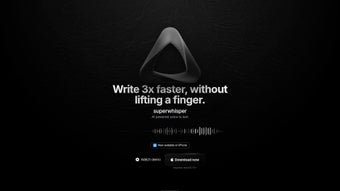

Download Superwhisper – Efficient AI Voice‑to‑Text Tool for macOS
Overview
Superwhisper is a cutting‑edge AI‑driven voice‑to‑text application built exclusively for macOS. It translates spoken language into written text with a speed that developers claim can be three times faster than traditional typing, making it a compelling productivity booster for writers, developers, students, and anyone who spends a lot of time at the keyboard. What truly sets Superwhisper apart is its offline‑first architecture: the entire speech‑recognition engine runs locally on your Mac, meaning your data never touches the cloud and privacy‑concerned users can breathe easy.
The tool supports more than 100 languages, allowing you to dictate, transcribe meetings, or even translate speech on the fly without switching apps. Superwhisper follows a subscription model that includes a free tier with essential features and a Pro tier that unlocks unlimited usage, 24‑hour support, and the full language set. A 30‑day refund policy adds a safety net for new users, while a regular newsletter keeps subscribers informed about updates, new language packs, and productivity tips.
Whether you’re drafting a novel, coding documentation, or capturing interview notes, Superwhisper promises to free up mental bandwidth and integrate seamlessly with other AI applications on your Mac.
Key Features
- Offline‑First Processing: All speech recognition occurs locally, ensuring privacy and eliminating the need for an internet connection.
- 100+ Language Support: Dictate or translate in a wide range of languages, from English and Mandarin to less common tongues like Icelandic.
- Three‑Times Faster Than Typing: AI‑optimized transcription speeds claim a 300% increase in text entry efficiency.
- Real‑Time Editing: Transcribed text appears instantly in any macOS text field, allowing immediate corrections.
- Custom Vocabulary: Add industry‑specific terms, acronyms, or brand names to improve accuracy.
- Seamless Integration: Works with popular AI tools such as ChatGPT, Notion, and Microsoft Word via macOS services.
- Pro Subscription Benefits: Unlimited transcriptions, 24‑hour priority support, and access to premium language packs.
- Free Tier: Basic transcription with limited language selection and a monthly usage cap.
- 30‑Day Money‑Back Guarantee: Try the Pro plan risk‑free; refunds are processed within 30 days of purchase.
Installation, Usage & Compatibility
Installing Superwhisper on your Mac is straightforward. Visit the official website, click the “Download for macOS” button, and the installer package (.dmg) will be saved to your Downloads folder. Open the file, drag the Superwhisper icon into the Applications folder, and launch the app. macOS will prompt you to allow microphone access; this permission is essential for the software to capture your voice. Once granted, the initial setup wizard walks you through language selection, custom vocabulary entry, and a quick calibration test to adapt the AI model to your speaking style.
After setup, you can activate Superwhisper via the menu bar icon or assign a global hotkey (default: ⌘+Shift+Space) to start dictation instantly. The transcribed text appears in a floating window, which you can drag into any active text field—be it a word processor, email client, or code editor. Superwhisper also offers a “Clip‑and‑Paste” mode that copies the latest transcription to the clipboard with a single keystroke, making it perfect for quick snippets.
Compatibility: Superwhisper requires macOS 12.0 Monterey or later and supports both Intel and Apple Silicon (M1/M2) architectures. The application is optimized for the latest hardware, leveraging Apple’s Neural Engine for faster offline processing. Users on older macOS versions will receive a prompt to upgrade or use the web‑based fallback (which, however, removes the offline privacy guarantee).
Pros and Cons
Pros
- Fully offline operation guarantees data privacy.
- Supports over 100 languages, including real‑time translation.
- Fast transcription speeds claim a three‑fold boost over typing.
- Custom vocabulary improves accuracy for niche terminology.
- Seamless integration with macOS services and popular AI tools.
- Free tier available for casual users.
- 30‑day refund policy reduces purchase risk.
Cons
- Pro plan is subscription‑based, which may deter occasional users.
- Limited to macOS; no native Windows, Android, or iOS version yet.
- Initial calibration may take a few minutes for optimal accuracy.
- Free tier imposes usage caps that could interrupt long dictation sessions.
- Advanced language packs require additional purchase.
Frequently Asked Questions
Is Superwhisper really offline?
Yes. All speech‑to‑text processing occurs locally on your Mac. No audio data is sent to external servers, which ensures complete privacy and eliminates the need for an internet connection.
Can I use Superwhisper on a Windows PC?
Currently Superwhisper is exclusive to macOS (12.0 Monterey or later). A Windows version is under consideration, but no release date has been announced.
How does the free plan differ from the Pro plan?
The free plan provides basic transcription with a limited set of languages and a monthly usage cap. The Pro plan removes caps, unlocks the full 100+ language library, offers 24‑hour priority support, and includes premium features like batch processing.
Do I need an internet connection for language translation?
No. Translation is performed by the same offline AI model that powers transcription. As long as the language pack is installed, you can translate speech without ever connecting to the internet.
What is the refund policy if I’m not satisfied?
Superwhisper offers a 30‑day money‑back guarantee for the Pro subscription. If you cancel within 30 days of purchase, you’ll receive a full refund via the original payment method.
Final Verdict & Call to Action
Superwhisper delivers on its promise of a fast, accurate, and private voice‑to‑text experience for macOS users. Its offline architecture, extensive language support, and tight integration with the Apple ecosystem make it a standout choice for anyone looking to replace keyboard typing with natural speech. While the subscription model may be a barrier for occasional users, the free tier provides enough functionality to test the core experience, and the 30‑day refund policy reduces the risk of committing to the Pro plan. If you spend a significant portion of your day drafting documents, coding, or conducting interviews, Superwhisper can shave hours off your workload and keep your data out of the cloud.
Ready to boost your productivity? Download Superwhisper now and start dictating with confidence. Explore the free plan first, and if you need unlimited usage and premium support, upgrade to the Pro subscription with peace of mind thanks to the 30‑day money‑back guarantee.



.png)



